Repeat one concept, not the whole lecture
Keep A and B around the smallest explanation you need to hear again. A short range makes it easier to compare what you understood on one pass with the next.
Focused study guide
Turn one dense explanation into a short, repeatable study loop in the real LoopVideo workspace.
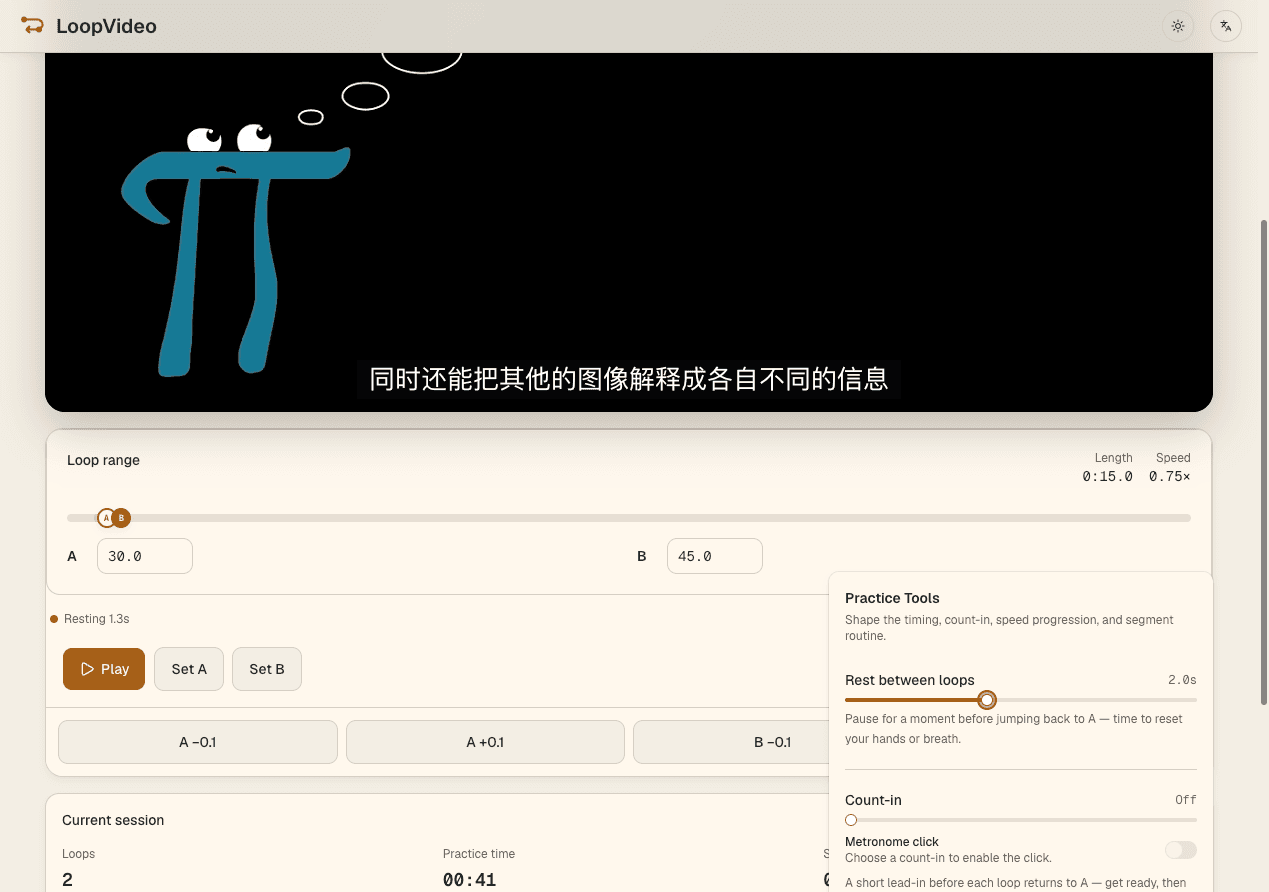
Paste an embeddable lecture or tutorial, activate the player, and set A and B around one explanation. Choose a playback rate the video provides or add Rest between loops, then save the loop in this browser or copy its practice link.
Paste a valid YouTube ID or supported URL for a fixed-duration lecture or tutorial.
Use Set A and Set B, the range, or numeric fields; fine-tune either boundary in 0.1-second steps.
Use a player-reported rate, or add 0–5 seconds of Rest in 0.5-second steps before the explanation repeats.
Save the loop in the current browser or copy a URL containing the supported loop settings.
Keep A and B around the smallest explanation you need to hear again. A short range makes it easier to compare what you understood on one pass with the next.
Add a short pause after the segment and try to explain the idea or answer the question before the source plays again.
A slower available rate can help with dense explanations. A faster available rate can shorten review, but only rates reported by the selected YouTube player are shown.
Use your own notes or study system alongside the loop. LoopVideo repeats the source and preserves supported practice state; it does not create study materials.
LoopVideo does not provide notes, generate quizzes, or sync learning progress. Videos may fail when embedding is disabled, or when they are age-restricted, private, removed, or otherwise unavailable. Live streams are unsupported because they have no fixed duration. Returning to A may have a small seek delay. Speeds and captions differ by video. Saved loops and history stay in the current browser. Background playback and lock-screen playback are unsupported in LoopVideo.
Paste an embeddable lecture or tutorial and practise the exact section you need.
Open LoopVideo