Why the speed choices can differ
LoopVideo reads the available playback rates from YouTube's embedded player. It does not manufacture unsupported speeds, so the menu can differ by video.
Playback speed guide
Choose a rate the current YouTube player supports, then repeat the part that needs slower study.
Paste the YouTube link, tap the thumbnail, open Speed, and choose one of the rates reported for that video. Set A and B when you want the slower playback to repeat only one section.
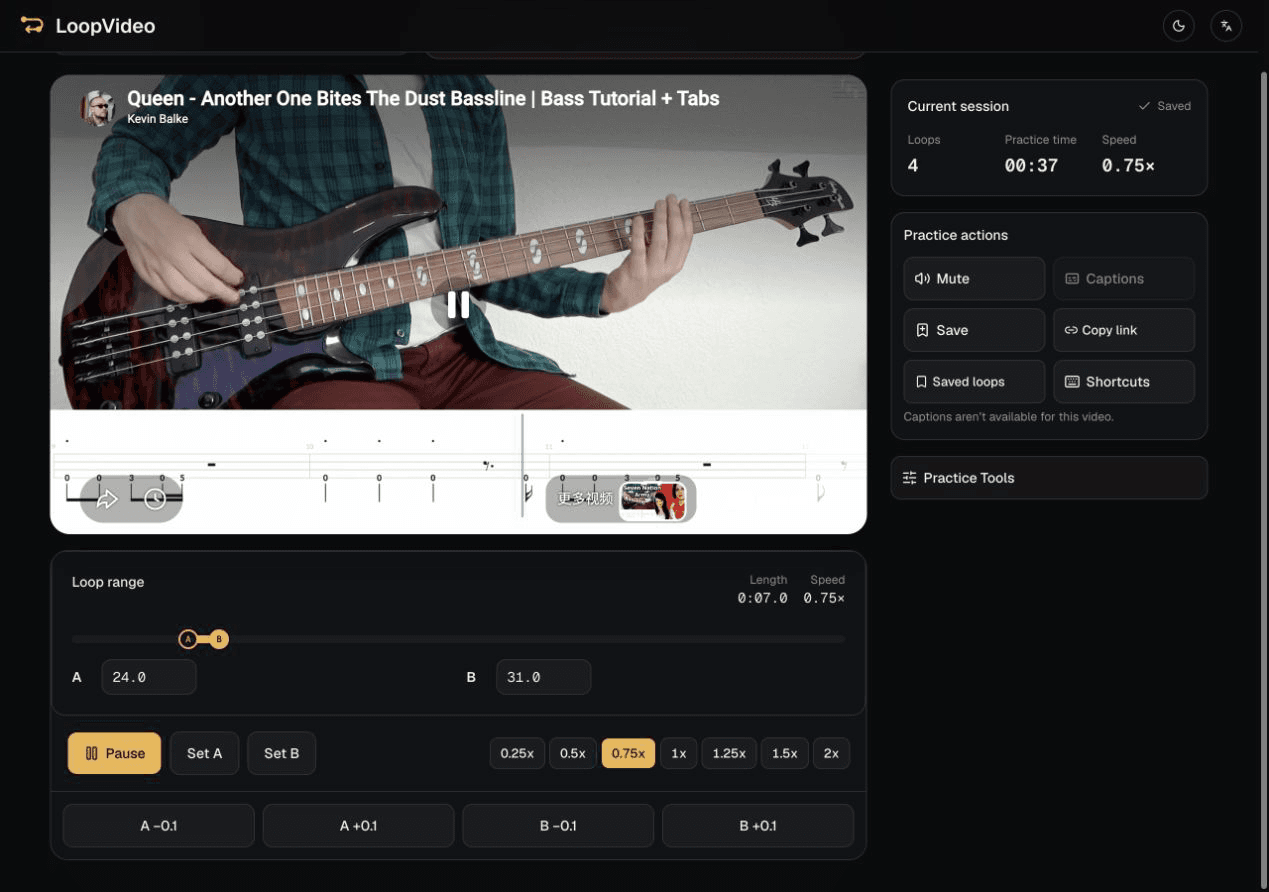
The available rates are checked after the embedded YouTube player loads.
Choose one of the playback rates actually reported for the selected video.
The chosen range returns to A while the selected rate remains active.
Practice Tools can step through available YouTube rates every two loops until normal speed.
LoopVideo reads the available playback rates from YouTube's embedded player. It does not manufacture unsupported speeds, so the menu can differ by video.
Choose a supported starting rate in Practice Tools. LoopVideo moves up one available rate every two loops until 1x; it is not a smooth percentage ramp.
Only rates reported by the current embedded player appear, so available speeds and captions differ by video. Videos may fail when embedding is disabled, or when they are age-restricted, private, removed, or otherwise unavailable. Live streams are unsupported because they have no fixed duration. Returning to A may have a small seek delay. Saved loops and history stay in the current browser. Background playback and lock-screen playback are unsupported in LoopVideo.
Paste a YouTube link and let the real player report its supported rates.
Open LoopVideo