Observe fingering at an available slower speed
Use a slower rate exposed by the player to inspect hand position and movement in the source. LoopVideo does not detect which finger is used.
Piano practice guide
Keep one piano passage returning while you observe fingering, practise a chosen physical task, and connect short sections.
Paste an embeddable piano lesson, performance, or masterclass, set A and B around a short passage, and choose a slower rate the player actually provides. Practise the right hand, left hand, or coordination yourself, then add Count-in, Rest, or Gradual speed-up when useful. Gradual speed-up advances one player-reported supported rate every two loops until 1x.
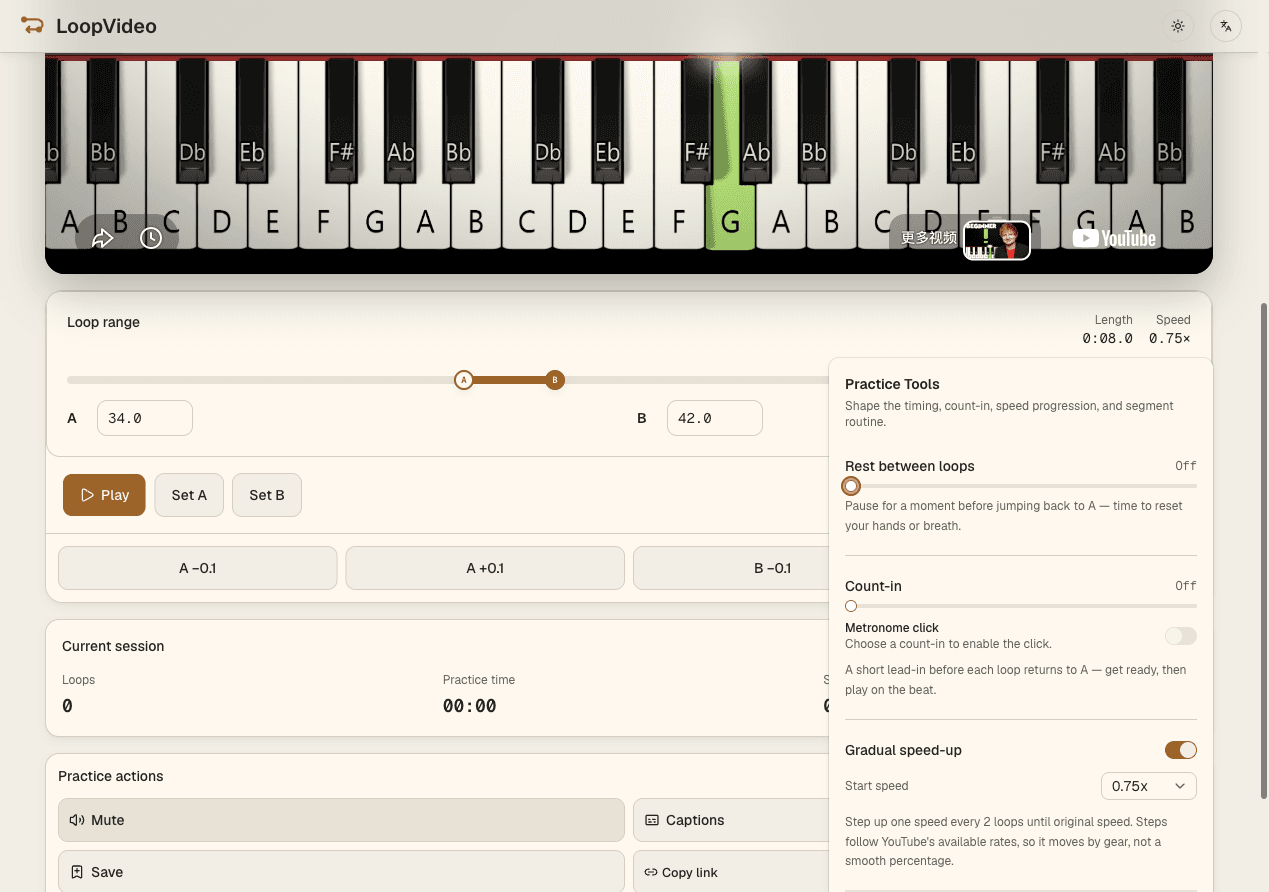
Paste a valid YouTube ID or supported URL for an embeddable lesson, performance, or masterclass.
Set A and B around one phrase and adjust either boundary in 0.1-second steps.
Select a player-reported rate and decide whether you are observing fingering, practising one hand, or coordinating both.
Use Count-in, Rest, or Gradual speed-up when helpful, then save locally or copy the supported practice state.
Use a slower rate exposed by the player to inspect hand position and movement in the source. LoopVideo does not detect which finger is used.
Right-hand practice, left-hand practice, and hands-together coordination are activities chosen by the pianist. LoopVideo repeats the same source audio and video; it does not separate hands.
Master one A–B range, then move or widen its boundaries to include the next phrase. LoopVideo does not create or automate a sequence of multiple segments.
Use a 0–3 second Count-in before returning to A. The optional click plays only during that count-in, not as a continuous metronome through the passage.
LoopVideo does not synchronize sheet music, detect fingering, separate hands, or record practice. Videos may fail when embedding is disabled, or when they are age-restricted, private, removed, or otherwise unavailable. Live streams are unsupported because they have no fixed duration. Returning to A may have a small seek delay. Speeds and captions differ by video. Saved loops and history stay in the current browser. Background playback and lock-screen playback are unsupported in LoopVideo.
Paste an embeddable piano video and create a focused A–B range.
Open LoopVideo