Riffs and licks need short, precise loops
Include enough sound before A to hear the attack and enough before B to hear the landing. Use the 0.1-second controls to remove an unwanted pickup or clipped ending.
Guitar practice guide
Keep one precise guitar passage returning while you listen, reset your hands, and build reliable repetitions.
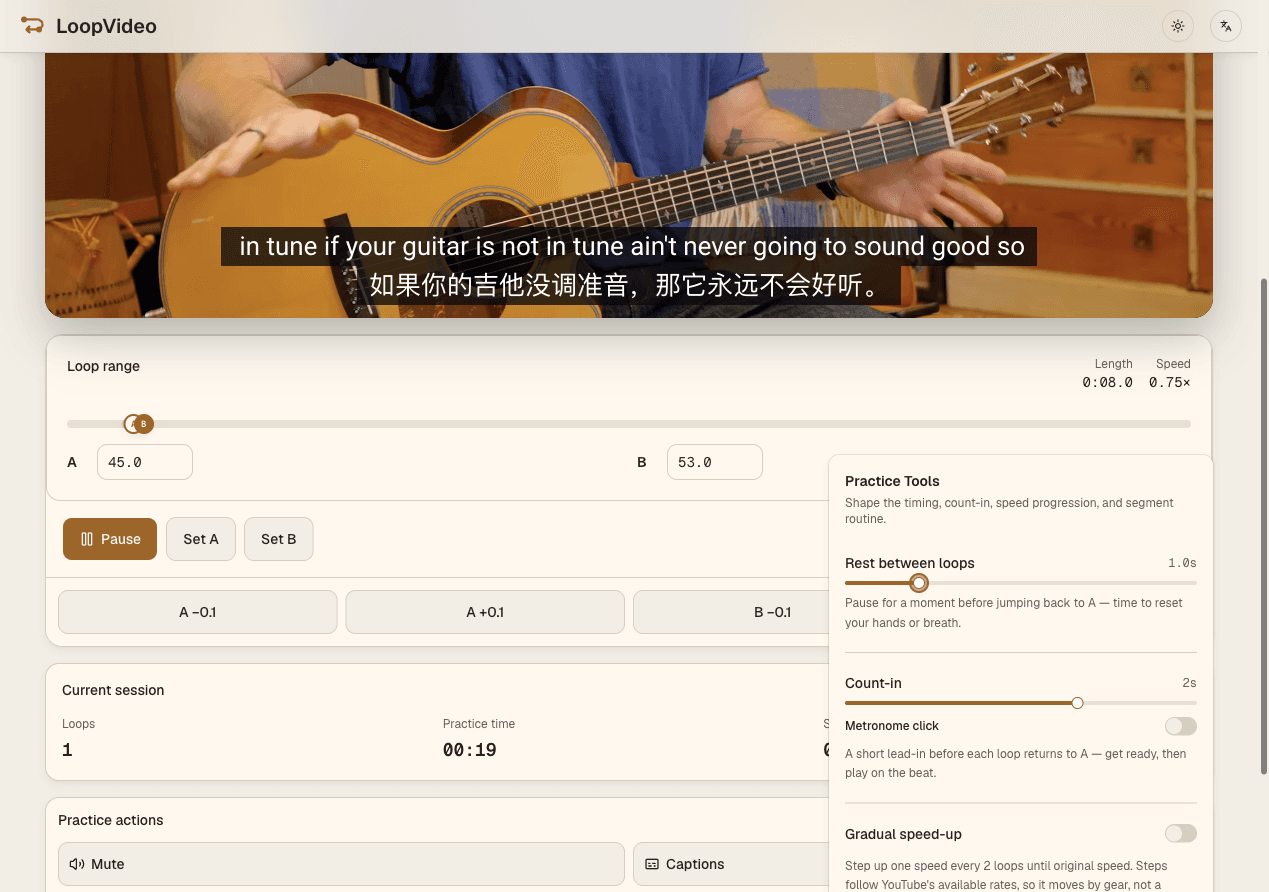
Paste an embeddable guitar lesson or performance, set A and B around one riff, lick, chord change, or short solo passage, fine-tune the boundaries, and select a slower rate the player actually reports. Add Count-in, Rest, or Gradual speed-up only when it supports the exercise.
Paste a valid YouTube ID or supported URL for an embeddable, fixed-duration guitar source.
Set A and B around a riff, lick, chord change, or short solo passage.
Adjust either boundary in 0.1-second steps and choose only a slower rate reported by the player.
Use Count-in, Rest, or Gradual speed-up when useful, then save locally or copy the supported practice state.
Include enough sound before A to hear the attack and enough before B to hear the landing. Use the 0.1-second controls to remove an unwanted pickup or clipped ending.
A short 0–5 second Rest, in 0.5-second steps, can give the fretting hand time to release and prepare the next change before the source repeats.
Loop one phrase, listen for pitch and rhythm, and find it on the instrument. LoopVideo repeats the source; it does not extract tablature or identify notes.
Start at a comfortable player-reported rate. Gradual speed-up can move one available rate every two loops until 1x, but cannot create unsupported tempo steps.
LoopVideo does not extract tablature, tune a guitar, record practice, or provide a continuous metronome. Its optional click plays only during a selected count-in. Videos may fail when embedding is disabled, or when they are age-restricted, private, removed, or otherwise unavailable. Live streams are unsupported because they have no fixed duration. Returning to A may have a small seek delay. Speeds and captions differ by video. Saved loops and history stay in the current browser. Background playback and lock-screen playback are unsupported in LoopVideo.
Paste an embeddable lesson or performance and build a precise practice range.
Open LoopVideo