LoopVideo
  • Recent practice
  • How it works
LoopVideo
LoopVideo

Precise YouTube A-B looping for practice and study — no account, no downloads.

Product
  • Recent practice
  • How it works
  • Music practice guide
  • For teachers
Company
  • About
  • Contact
Legal
  • Cookie Policy
  • Privacy Policy
  • Terms of Service
© 2026 LoopVideo. All Rights Reserved.
  1. Home
  2. YouTube Loop for Language Learning

Listening and shadowing guide

Use YouTube Loops for Language Learning

Turn one short sentence into a repeatable listening, dictation, or shadowing exercise without changing the source video.

Paste a valid link and the practice studio opens automatically.

Quick answer

Paste an embeddable lesson or conversation, set A and B around one short sentence, choose an available speed, and add Rest between loops when you need time to repeat or write. Use captions only when the video provides them.
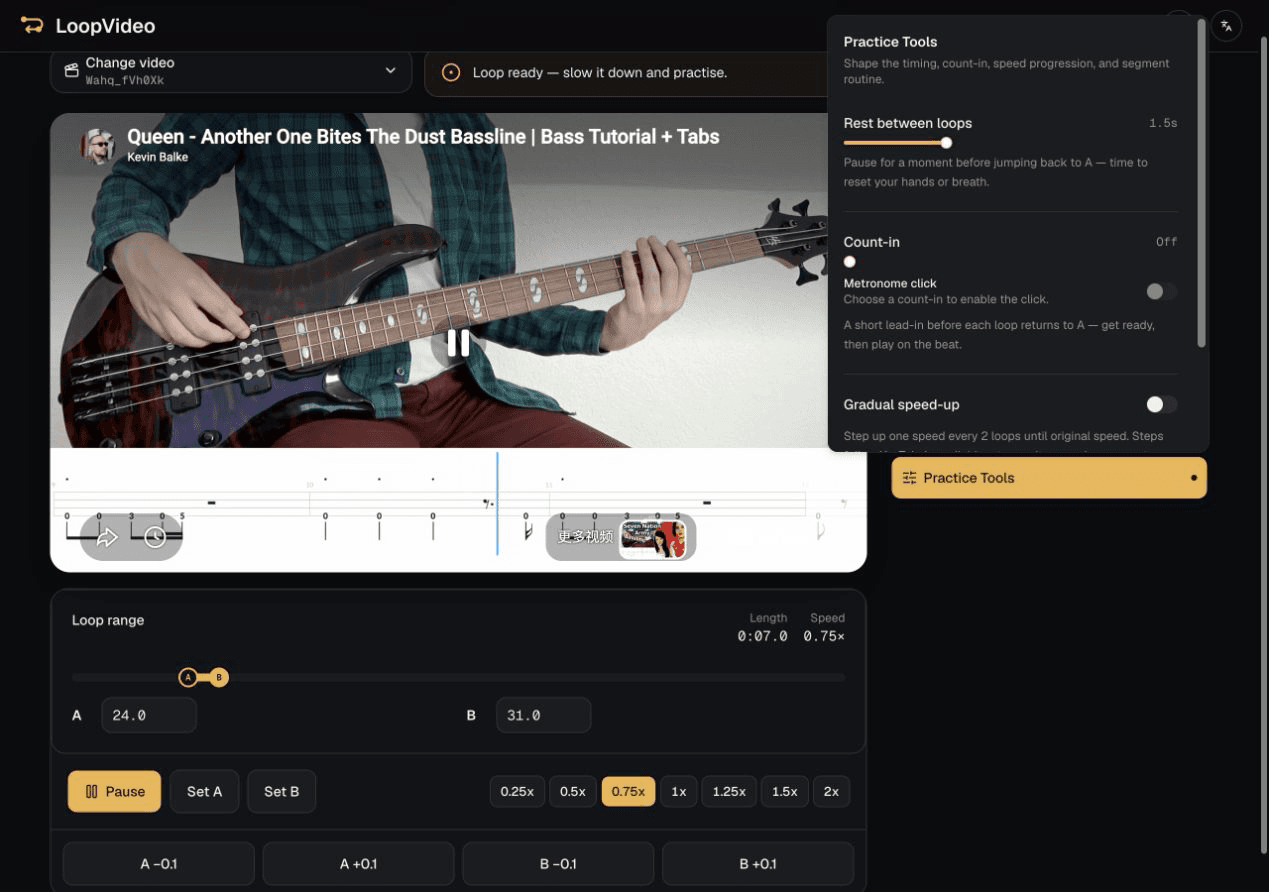
LoopVideo Practice Tools showing a real Rest between loops setting for language practice

Build a language practice loop

  1. 1

    Select one short sentence

    Use Set A and Set B to isolate a manageable phrase.

  2. 2

    Listen at an available speed

    Choose a slower YouTube rate only when it is offered for the video.

  3. 3

    Add Rest between loops

    Set a real 0–5 second pause when you need time to speak, recall, or write.

  4. 4

    Repeat with or without captions

    Use captions only when LoopVideo confirms they are available for that video.

Focused listening

Listen once for the general meaning, then repeat the same short range for sounds, reductions, stress, or word boundaries.

Dictation

Add a short rest after each loop, write what you heard, and replay the same range before checking the source material.

Shadowing and pronunciation practice

Listen, pause during the configured rest, and repeat the sentence aloud. LoopVideo provides repetition and timing; it does not record or score pronunciation.

Captions are optional and video-dependent

The Captions action is enabled only when the embedded YouTube player exposes captions. LoopVideo does not create a transcript or translation.

LoopVideo is a playback practice tool

LoopVideo does not transcribe, translate, evaluate speech, or sync learning data. Available captions and playback speeds differ by video. Videos may fail when embedding is disabled, or when they are age-restricted, private, removed, or otherwise unavailable. Live streams are unsupported because they have no fixed duration. Returning to A may have a small seek delay. Saved loops and history stay in the current browser. Background playback and lock-screen playback are unsupported in LoopVideo.

Frequently asked questions

Does every YouTube lesson have captions?
No. The Captions action is available only when the embedded YouTube player exposes captions for the selected video.
Does LoopVideo translate or transcribe the lesson?
No. LoopVideo does not create transcripts or translations; it repeats the source video.
Can I pause between repeated sentences?
Yes. Rest between loops can be set from 0 to 5 seconds in 0.5-second steps.
Can I use the loop for shadowing?
Yes. Repeat one short range and speak during or after it, but LoopVideo does not record or score pronunciation.
Will my language loops sync across devices?
No. Saved loops and recent practice remain in the current browser unless you copy and move a share link yourself.

Related practice guides

Slow Down and Loop a YouTube Video

Understand why available playback rates differ between videos.

Loop Part of a YouTube Video

Fine-tune the beginning and end of one sentence.

A–B Loop Practice for Musicians

Apply the same deliberate-repeat pattern to instrumental practice.

Build a language practice loop

Paste an embeddable lesson and isolate one sentence in the real workspace.

Open LoopVideo